Description
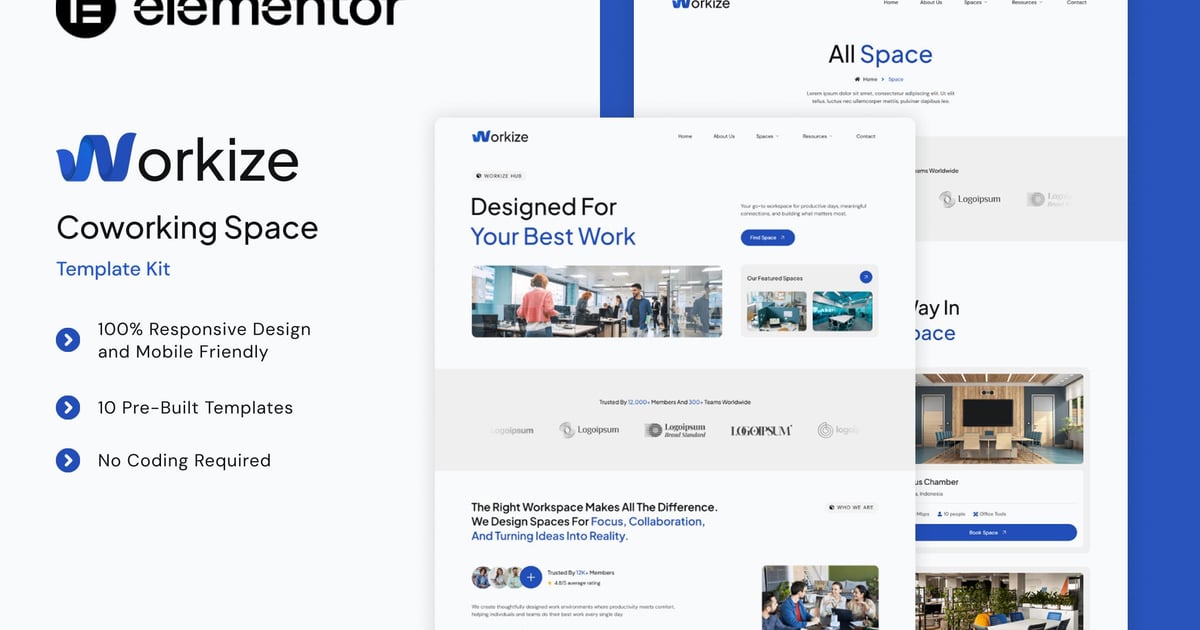
Workize is a modern Elementor Template Kit designed for coworking spaces, shared offices, creative hubs, and collaborative work environments. Built with a clean and contemporary aesthetic, Workize is ideal for businesses that want to showcase flexible workspaces, modern amenities, and a vibrant professional community. This template is fully compatible with Elementor Free, making it easy to customize and adapt to your brand without any coding. Workize includes a complete set of essential pages such as Home, About Us, Space, Features, Booking, Pricing, Blog, FAQs, 404, and Contact, helping you create a professional and welcoming website that highlights your workspace and encourages visitors to book with confidence.
### Templates
- Home
- About Us
- Space
- Features
- Booking
- Pricing
- Blog
- FAQs
- 404
- Contact
### Font Used
*Plus Jakarta Sans
*DM Sans
### Addons installed with kit
- Elementor
- Jeg Elementor Kit
- Metform
- Premium Addons for Elementor
- Qi Addons for Elementor
- Ultimate Addons for Elementor Lite
### How to Use Template Kits:
This is not a WordPress Theme. Template kits contain the design data for Elementor only and are installed using the envato Template Kit Import plugin for WordPress or directly through Elementor.
Detailed Guide:
https://help.market.envato.com/hc/en-us/articles/36033428836889-How-to-Upload-Install-Elementor-Template-Kits-from-Themeforest-to-WordPress
For further support, go to Elementor > Get Help in WordPress menu.
How to setup header in Jeg Elementor Kit plugin
If you have Elementor Pro, setup headers and footers in Theme Builder. Pages you create with Elementor must have the Page Layout set to Elementor Full width for the global header and footer to appear.
- Go to Jeg Elementor Kit menu item > Header Template
- Click Add New Header
- Add condition > All Site and click Create
- Click the pencil icon to Edit and elementor will appear
- Click gray folder icon to access My Templates tab
- Insert the header template.
- Customize and Save.
How to Import MetForm Custom Form:
- While edititing a page where a form should appear, open the Elementor navigator to locate the Metform widget.
- Click Edit Form in the builder panel.
- Select New, leave blank selected then click Edit Form button.
- Click ‘Add Template’ grey folder button.
- Click ‘My Templates’ tab.
- Choose your imported MetForm template, then click ‘Insert’.
- Once the template is loaded, click ‘Update’.
### Images
This Template Kit uses demo images from Envato Elements. You will need to license these images from Envato Elements to use them on your website, or you can substitute them with your own.
- https://elements.envato.com/shared/workspaces/fad48711-b9e1-4ea2-8342-e2add241b16b