Description
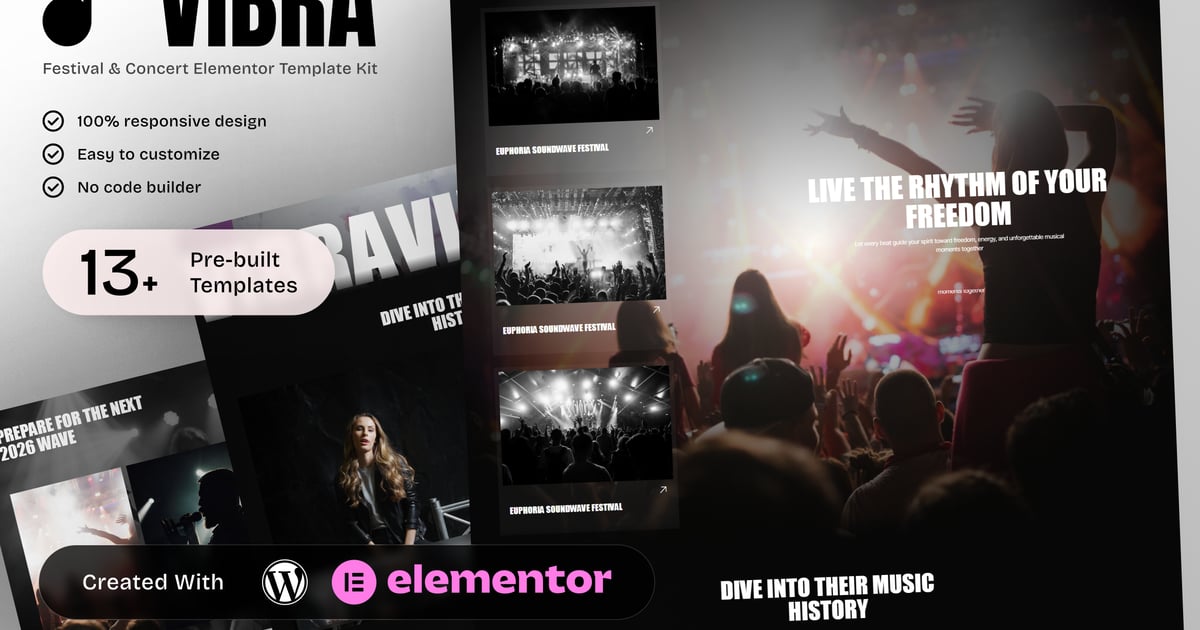
Vibra – Music Festival & Concert Elementor Template Kit
Vibra is a dedicated Music Festival & Concert Elementor Template Kit created for festival organizers, concert promoters, and live event teams. This template kit is built to clearly present festival identity, artist lineup, schedules, ticket information, and the overall event experience in a structured and engaging format.
Designed specifically for music events, Vibra includes focused pages for lineup presentation, individual artist profiles, event programs, ticket passes, audience experience, camping and accommodation details, and sponsor visibility. The layout emphasizes clarity, excitement, and ease of navigation for visitors planning to attend live music events.
Vibra is ideal for music festivals, concert series, live shows, and large-scale entertainment events that need a professional, responsive website to inform audiences, sell tickets, and communicate event details. Fully customizable with Elementor, this kit delivers a clear and consistent solution for music event promotion.
Templates in Zip:
- Home
- Lineup
- Single Artist
- Schedule / Program
- Tickets / Passes
- The Experience
- Camping & Accommodation
- Sponsors & Partners
- FAQ
- Contact
- Global Style
- Header
- Footer
- 404 Error Page
Required Plugins:
- Prime Slider
- Jeg Kit for Elementor
- MetForm
- RTMKit
- ElementsKit Lite
- Ultimate Addons for Elementor Lit
### How to Use Template Kits:
This is not a WordPress Theme. Template kits contain the design data for Elementor only and are installed using the envato Template Kit Import plugin for WordPress or directly through Elementor.
Detailed Guide:
https://help.market.envato.com/hc/en-us/articles/36033428836889-How-to-Upload-Install-Elementor-Template-Kits-from-Themeforest-to-WordPress
For further support, go to Elementor > Get Help in WordPress menu.
How to setup header in Jeg Elementor Kit plugin
If you have Elementor Pro, setup headers and footers in Theme Builder. Pages you create with Elementor must have the Page Layout set to Elementor Full width for the global header and footer to appear.
- Go to Jeg Elementor Kit menu item > Header Template
- Click Add New Header
- Add condition > All Site and click Create
- Click the pencil icon to Edit and elementor will appear
- Click gray folder icon to access My Templates tab
- Insert the header template.
- Customize and Save.
How to Import MetForm Custom Form:
- While edititing a page where a form should appear, open the Elementor navigator to locate the Metform widget.
- Click Edit Form in the builder panel.
- Select New, leave blank selected then click Edit Form button.
- Click ‘Add Template’ grey folder button.
- Click ‘My Templates’ tab.
- Choose your imported MetForm template, then click ‘Insert’.
- Once the template is loaded, click ‘Update’.
Images:
This Template Kit uses demo images from Envato Elements. You will need to license these images from Envato Elements to use them on your website, or you can substitute them with your own.
https://elements.envato.com/collections/XWLKZ86GCE
Create by: Create Big Supply