TranslatePress Pro: The Ultimate WordPress Translation Solution for Multilingual Websites
In today’s globalized digital landscape, having a multilingual website is no longer a luxury but a necessity for businesses, bloggers, and e-commerce stores. According to Google, over 70% of users prefer accessing content in their native language, which boosts conversion rates and expands audience reach. If you’re running a WordPress site—powering over 40% of websites globally—TranslatePress Pro is the ideal tool to transform your site into a seamless international platform. With its intuitive frontend translation, AI-powered automation, and multilingual SEO optimization, TranslatePress Pro stands out from traditional plugins. This article dives deep into TranslatePress Pro, exploring its features, benefits, and why it’s the go-to solution for WordPress translation.
What is TranslatePress Pro and Why Choose It?
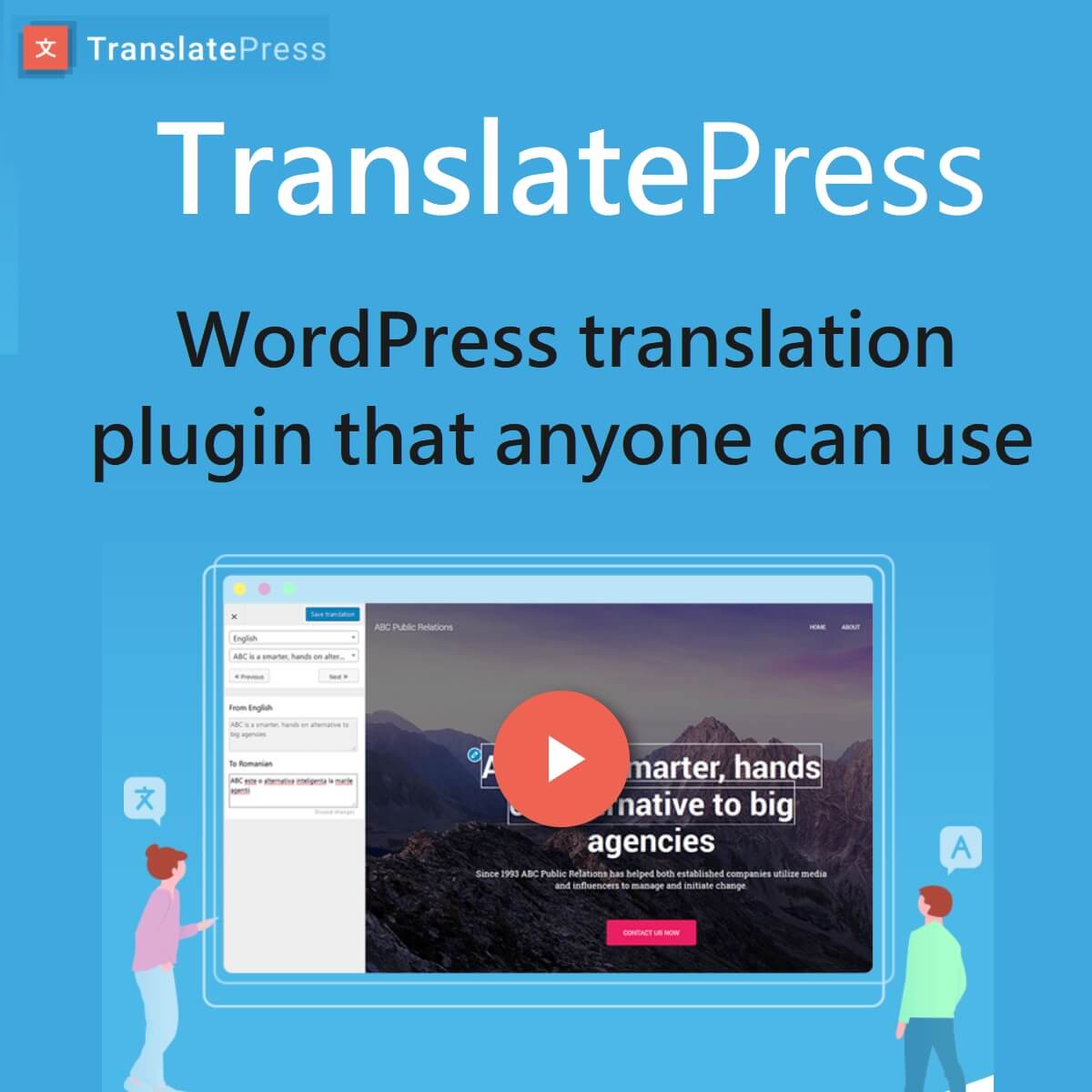
TranslatePress Pro is the premium version of the free TranslatePress plugin, developed by Cozmoslabs, a trusted name in WordPress development. Unlike conventional translation plugins that rely on complex backend editing, TranslatePress Pro enables you to translate your entire website directly from the frontend. This means you can preview translations in real-time, ensuring everything appears exactly as visitors will see it.
Supporting over 221 languages, including English, Vietnamese, French, and numerous Asian languages, it’s perfect for businesses aiming to tap into global markets. With over 400,000 installs and a 4.6/5 rating on WordPress.org, TranslatePress Pro shines with features like full WooCommerce translation, page builder compatibility (Elementor, Divi), and support for any theme. Unlike subscription-based competitors, its GPL-based model ensures you retain ownership of translations even after the license expires.
Compared to rivals, TranslatePress Pro excels with its “visual translation” approach—clicking and editing directly on the website instead of copying and pasting text strings. This saves time, reduces errors, and is especially user-friendly for non-technical users.
Key Features of TranslatePress Pro
TranslatePress Pro goes beyond basic text translation, offering a robust suite of tools for professional WordPress localization. Here are its standout features:
1. Intuitive Frontend Translation with WYSIWYG Interface
Instead of toggling between backend and frontend, you can activate translation mode and edit directly on the live website. Everything from shortcodes, contact forms, dynamic strings (gettext), to page builder content can be translated seamlessly. The Translation Blocks feature groups multiple text strings into a single block, ideal for complex HTML sections like sidebars or footers.
2. AI-Powered Automatic Translation
With TranslatePress AI, the plugin integrates leading neural translation engines like Google Translate and DeepL, delivering high-quality translations in seconds without requiring external API keys. You can translate an entire site with one click and manually refine for cultural accuracy. The Personal plan includes 50,000 AI-translated words, while the Developer plan offers 500,000, making it a cost-effective alternative to manual translation.
3. Multilingual SEO Optimization
The SEO Pack add-on is a game-changer, ensuring your site ranks high on Google for each language. Key SEO features include:
- Language-specific URL slugs (e.g., /vi/product instead of /en/product).
- Automatic hreflang tags to prevent duplicate content issues.
- Translation of meta titles, descriptions, and Open Graph social tags.
- Multilingual sitemap integration with Yoast SEO or Rank Math.
The result? Doubled traffic from new markets, as seen in a Vietnamese WooCommerce store expanding to Europe.
4. Comprehensive WooCommerce and E-Commerce Support
For online stores, TranslatePress Pro translates every WooCommerce element: products, carts, checkout pages, breadcrumbs, and variable prices. The Image Translation feature lets you swap images based on language, such as product labels in Vietnamese. This personalization can boost conversions by up to 30%.
5. Translator Management and Language Customization
Business and Developer plans include Translator Accounts, allowing you to assign translation tasks to teams or freelancers without granting admin access. The Browse As feature lets you view the site as a specific user, including dynamic content like login pages. Automatic User Language Detection switches languages based on IP or browser settings, while Navigation Based on Language adjusts menus per language.
The customizable Language Switcher can be added as a menu, shortcode, or floating button, complete with country flags and SEO-friendly design.
Benefits of TranslatePress Pro for WordPress Websites
Using TranslatePress Pro delivers tangible benefits, from performance to business ROI. First, it’s lightweight, using lazy-loading to avoid slowing down your site, even for large sites with thousands of pages. Crocoblock notes it “requires no coding knowledge, with an intuitive interface for fast translation.”
Second, it’s highly flexible, supporting all themes and plugins, including Gutenberg blocks, minimizing compatibility issues. For businesses, the biggest advantage is market expansion—a Common Sense Advisory study shows 75% of consumers only shop in their native language.
Third, exceptional support: With over 60 tutorials and responsive customer service, users like Stefano Monteiro praise its “amazing UI and quick support.” Compared to the free version (limited to one secondary language and no AI), Pro unlocks full potential, saving hours of manual work.
TranslatePress Pro vs. WPML: Which is Better?
When it comes to WordPress translation, WPML is a common competitor due to its robust features. However, TranslatePress Pro shines in simplicity and speed.
| Criteria | TranslatePress Pro | WPML |
|---|---|---|
| Translation Interface | Frontend, real-time visual | Backend, multi-step process |
| Automatic Translation | Built-in AI, no external API | Supports Microsoft/Google, but costlier |
| Performance | Lightweight, minimal speed impact | Heavier, may slow site by 20-30% |
| SEO | Hreflang, slugs, Yoast integration | Deep integration, but more complex |
| Pricing | €99/year (1 site) to €349/year (unlimited) | €99/year (1 site), pricier add-ons |
| Best For | Beginners, small-to-large e-commerce | Enterprises needing deep customization |
Per reviews from Weglot and InstaWP, TranslatePress wins for ease of use and affordability, while WPML suits sites requiring fully distinct content per language. For speed and simplicity, TranslatePress Pro is the clear choice.
Quick Setup and Usage Guide for TranslatePress Pro
Getting started with TranslatePress Pro takes just 5 minutes:
- Install the free plugin from WordPress.org, then upgrade to Pro via TranslatePress.com.
- Enter your license key to activate.
- Go to Settings > TranslatePress > General: Set the source language and add target languages (e.g., English to Vietnamese).
- Enable automatic translation with TranslatePress AI.
- Switch to the frontend, click the translation icon, and start editing.
- Add a Language Switcher via shortcode [trp_language].
Pro tip: Back up your site before updates to avoid disruptions.
Real User Feedback
Users on Trustpilot and WordPress.org praise TranslatePress Pro for being “easy to use and accurate”. Verdi Heinz notes, “The support team is stellar, and the plugin truly gets multilingual right.” Minor drawbacks include limited integration with third-party professional translation services (unlike WPML), but its affordability and autonomy compensate.
Conclusion: TranslatePress Pro – Your Gateway to a Multilingual Website
In summary, TranslatePress Pro is a top-tier WordPress translation solution, blending AI technology, multilingual SEO, and a user-friendly interface. Whether you’re a WooCommerce store owner targeting Southeast Asia or a blogger reaching global readers, this plugin drives traffic and revenue without breaking the bank. Try the free version today and upgrade to Pro to unlock its full potential. Starting at €99/year, it’s a smart investment for your site’s global future. Ready to make your website a cultural bridge?




Reviews
There are no reviews yet.