Description
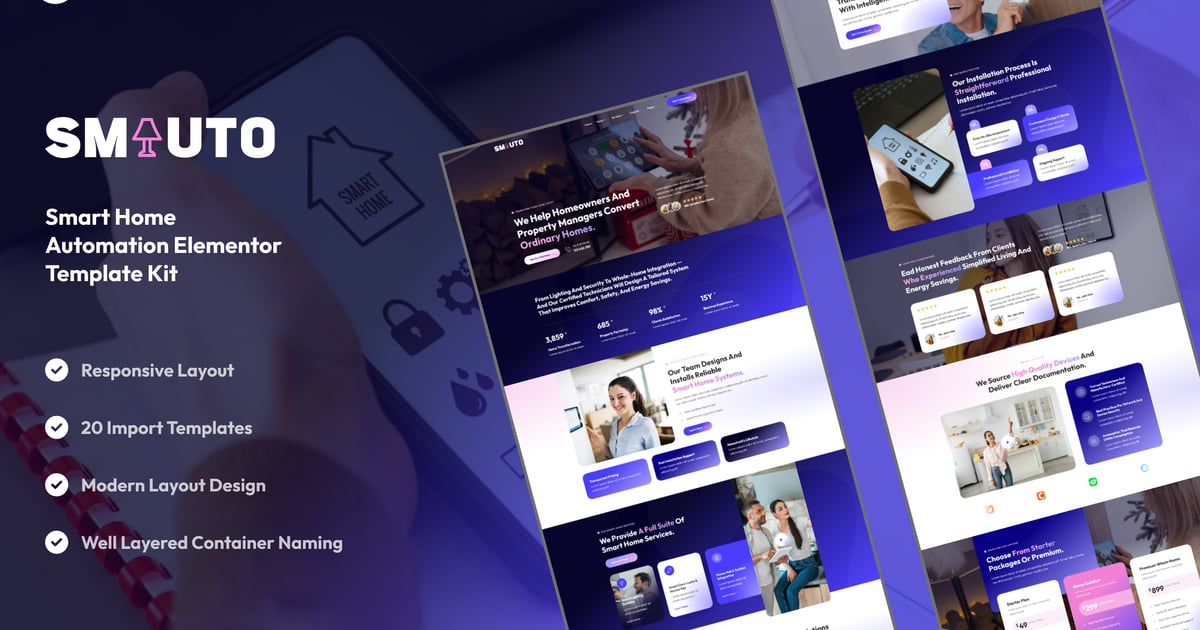
Smauto – Smart Home Automation Elementor Template Kit is a sleek, futuristic, and high-tech website layout collection designed for smart home service providers, IoT solution businesses, and automation technology companies.
With Smauto, you can build a professional website to showcase your automation systems, home technology, and innovative solutions — all with the free version of Elementor. No Elementor Pro is required. Templates are fast, lightweight, SEO-friendly, and fully responsive.
## Key Features:
Modern & Futuristic Design:
Tech-oriented look with clean, elegant, and glowing accents.
Fully Responsive:
Adapts perfectly to any screen size and device.
Uses Free Elementor Only:
No Pro upgrade needed — works entirely with Elementor Free.
Optimized for Speed & SEO:
Lightweight templates following modern coding and optimization standards.
Cross-Browser Compatible:
Supports Chrome, Firefox, Safari, and Edge browsers.
No Pro upgrade required
## Template Pages Included:
- Home
- About Us
- Our Team
- Our Services
- Detail Service
- Our Pricing
- Our Projects
- Detail Project
- FAQs
- Testimonials
- Blog
- Single Blog
- Contact Us
- 404
- Global Style
- Block – Header
- Block – Footer
- MetForm – Contact Form
- MetForm – Project Quotation Form
- MetForm – Subscribe Form
- MetForm – FAQ Form
## Template Features:
- No Pro Plugin Needed
- True No Coding Required
- Global Theme Style
## Required Plugins:
- Elements Kit Lite
- MetForm
### How to Use Template Kits:
This is not a WordPress Theme. Template kits contain the design data for Elementor only and are installed using the envato Template Kit Import plugin for WordPress or directly through Elementor.
Detailed Guide:
https://help.market.envato.com/hc/en-us/articles/36033428836889-How-to-Upload-Install-Elementor-Template-Kits-from-Themeforest-to-WordPress
For further support, go to Elementor > Get Help in WordPress menu.
### How to Import MetForms:
- Import MetForm block templates
- Open the page containing the form and use Navigator
- Edit MetForm widget → Choose New → Edit Form
- Insert template from My Templates
- Customize and save
### Setup Global Header and Footer:
- Import Header & Footer templates
- Go to ElementsKit > Header Footer → Add New
- Assign title, select Entire Site, activate
- Edit template, import design, and update
- Repeat for footer
This Template Kit uses demo images from Envato Elements. You must license these images or replace them with your own.
- https://elements.envato.com/collections/RXQAGKW64U