Description
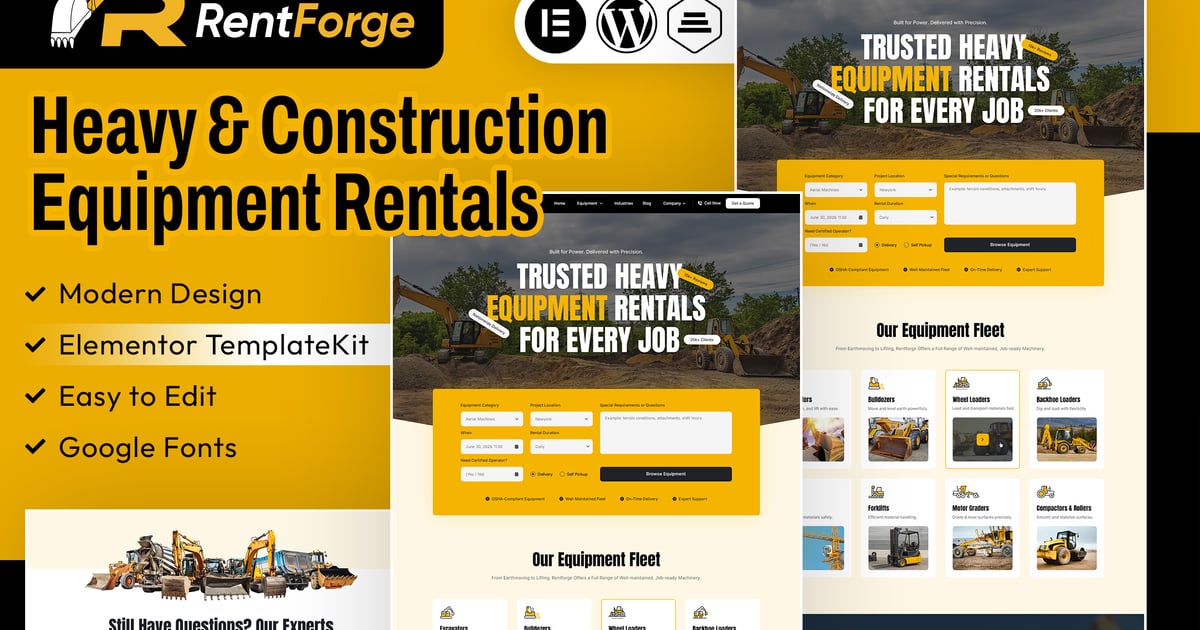
RentForge – Heavy & Construction Equipment Rental Elementor Template Kit is a modern, clean, and professionally crafted template designed specifically for construction equipment rental companies, heavy machinery rental services, industrial equipment providers, excavator rental businesses, crane rental companies, and construction service providers. With its well-structured layouts and industry-focused design, RentForge allows you to effectively showcase your equipment, rental services, machinery specifications, pricing plans, and customer services in a visually engaging and professional way.
Built to meet the needs of heavy equipment and construction rental businesses, RentForge includes thoughtfully designed pages such as Home, About, Services, Pricing, Contact, Team, Team Detail, Blog, Book Equipment, Services Detail, Testimonials, Single Detail, Coming Soon, and 404. The template features organized sections for showcasing heavy machinery, construction equipment, rental services, equipment booking, service details, pricing plans, customer testimonials, team members, and strong call-to-action areas—helping you build trust and establish a professional online presence.
Fully customizable and easy to use, RentForge is built with Elementor, offering a smooth drag-and-drop editing experience. With a clean structure, global styling options, and reusable sections, you can easily customize layouts, colors, typography, images, and content to match your company’s branding without any coding knowledge.
Whether you are launching a new construction equipment rental business, expanding your heavy machinery rental services, or refreshing your existing industrial website, RentForge provides a professional and modern foundation to create a compelling online presence that attracts customers and makes it easy to showcase and promote your rental equipment.
Note: This is not a WordPress theme; it is an Elementor Template Kit designed for use with the Elementor page builder. The kit includes pre-designed page layouts optimized for the free Hello Elementor theme but can also be used with most themes that support Elementor.
Features
- True no-code customization with drag and drop visual builder
- Customize fonts and colors in one place or fine-tune on individual elements
- Modern, professional design
- Fast-loading
- Works with most Elementor themes.
Templates Includes
- Home Page
- Header Style
- Footer Style
- Services Page
- About Page
- Pricing Page
- Book Equipment Page
- FAQ Page
- Team Page
- Team Detail Page
- Testimonials Page
- Blog Page
- Blog Detail Page
- Coming Soon
- 404 Page
- Contact Page
** Required plugins installed with kit**
- Elementor
- ElementsKit Lite
- Gum Addon for Elementor
- MetForm
How to Use Template Kits:
This is not a WordPress Theme. Template kits contain the design data for Elementor only and are installed using the envato Template Kit Import plugin for WordPress or directly through Elementor.
Detailed Guide:
https://help.market.envato.com/hc/en-us/articles/36033428836889-How-to-Upload-Install-Elementor-Template-Kits-from-Themeforest-to-WordPress
For further support, go to Elementor > Get Help in WordPress menu.
** How to Import Metforms**
- Import the metform block templates
- Import the page template where the form appears and right-click to enable the Navigator
- Locate and select the Metform widget and click Edit Form. Choose New, then Edit Form. The builder will appear
- Click ‘Add Template’ grey folder icon.
- Click ‘My Templates’ tab.
- Choose your imported metform template, then click ‘Insert’ (click No for page settings).
- Once the template is loaded, make any desired customizations and click ‘Update & Close’ The form will appear in the template
- Click Update
How to setup header in ElementsKit Lite plugin
If you have Elementor Pro, headers and footers may be customized under Theme Builder.
- Go to ElementsKit Lite menu item > Header Template
- Click Add New Header
- Add condition > All Site and click Create
- Click gray folder icon to access My Templates tab
- Insert the header template.
- Customize and Save.
Image License
This Template Kit uses demo images from Envato Elements. You will need to license these images from Envato Elements to use them on your website, or you can substitute them with your own.
- https://app.envato.com/shared/workspaces/f27e780e-231b-4646-9692-89ea4f504dc2
- Freepik
- Flaticon