Description
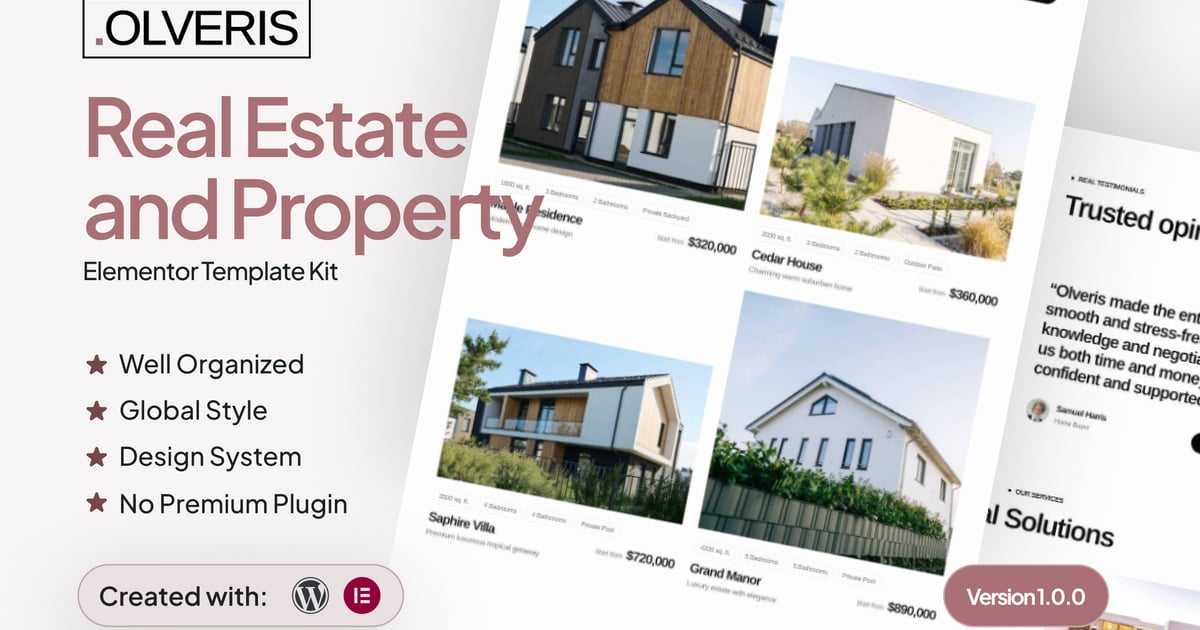
Introducing “Olveris” – a refined and modern solution designed to elevate your real estate and property website with confidence and clarity.
Built specifically for professionals in the real estate and property industry, Olveris is a powerful Elementor Template Kit that helps you create a high-converting, visually polished website without touching a single line of code. Powered by WordPress and Elementor, this template kit is ideal for real estate agencies, property developers, independent realtors, and property consultants who want to present listings, services, and brand credibility in a clean and professional way.
Olveris focuses heavily on lead generation and user experience. Its layouts are optimized to guide visitors toward inquiries, property viewing requests, and contact actions with ease. Clean typography ensures optimal readability across all sections, while a structured design system guarantees visual consistency throughout the entire website. Carefully optimized responsive breakpoints provide a seamless browsing experience on desktop, tablet, and mobile devices, ensuring your property listings always look their best.
Every component in Olveris is fully customizable using Elementor’s intuitive interface, allowing you to adapt colors, fonts, layouts, and content to match your brand identity. The template kit has been extensively tested across major browsers and versions to ensure stable performance and consistent visuals. Features like one-click back-to-top navigation improve usability and encourage visitors to explore more pages without friction.
With a complete collection of 20+ professionally designed pages, Olveris gives you everything you need to build a comprehensive real estate website — from landing pages and property showcases to contact forms and informational sections. Whether you are promoting residential properties, commercial spaces, or real estate services, Olveris helps you launch faster, look more credible, and convert visitors into valuable leads.
Suitable For:
- Residential Agencies
- Property Developers
- Real Estate Consultants
Features:
- Unique & Clean Design
- Modern design based on design system
- 20+ ready to use templates
- Unlimited colors
- More than 900 ready fonts
- Fully Responsive Layout
- Fully Customizable
- Click to Go To Top
- Cross Browser Compatibility: Chrome, Firefox, Safari, Opera
Templates Included:
- Global Theme Style
- Design Guideline
- Home
- About Us
- Our Blog
- Single Post
- 404
- Coming Soon
- Contact Us
- FAQ
- Career
- Our Team
- Service
- Pricing
- Testimonial
- Project
- Property List
- Property Detail
- Contact Form
- Subscription Form
- Property Form
- Review Form
- Header
- Footer
Required Plugin(included):
- Elementor
- ElementsKit Lite
- Gum Elementor Kit
- Metform
### How to Use Template Kits:
This is not a WordPress Theme. Template kits contain the design data for Elementor only and are installed using the envato Template Kit Import plugin for WordPress or directly through Elementor.
Detailed Guide:
https://help.market.envato.com/hc/en-us/articles/36033428836889-How-to-Upload-Install-Elementor-Template-Kits-from-Themeforest-to-WordPress
For further support, go to Elementor > Get Help in WordPress menu.
How to Import MetForm Custom Form:
- While edititing a page where a form should appear, open the Elementor navigator to locate the Metform widget.
- Click Edit Form in the builder panel.
- Select New, leave blank selected then click Edit Form button.
- Click ‘Add Template’ grey folder button.
- Click ‘My Templates’ tab.
- Choose your imported MetForm template, then click ‘Insert’.
- Once the template is loaded, click ‘Update’.
Setup Header in ElementsKit Lite
If you have Elementor Pro, setup headers and footers in Theme Builder. Pages you create with Elementor must have the Page Layout set to Elementor Full width for the global header and footer to appear.
- Go to ElementsKit > Header Footer
- If prompted to go through the wizard, click Next all the way through and then return to step 1 (you are not required to enter your email address or share your information)
- Click Add New Template button at the top
- Name your template, then toggle “Activate/Deactivate:” to On
- Click the gray Edit Content button. Elementor will open.
- Click the gray folder icon to access My Templates tab and Insert the header or footer template.
- Customize and Publish
IMPORTANT:
This Template Kit uses demo images from Envato Elements. You will need to license these images from Envato Elements to use them on your website, or you can substitute them with your own.
https://elements.envato.com/collections/MSBLVT67Q5