Description
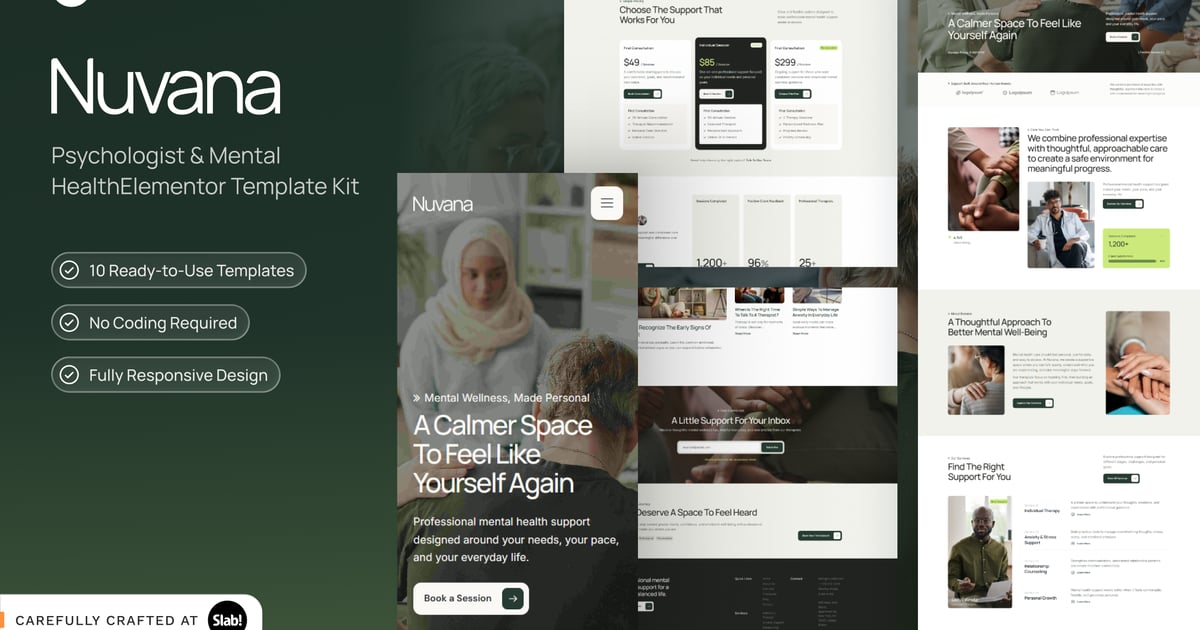
Nuvana, Psychologist & Mental Health | Nuvana is a modern Elementor Template Kit created for psychologists, therapists, counselors, and mental health practices that need a calm and trustworthy online presence. The layout combines spacious composition, soft neutral colors, clear typography, and thoughtful imagery to make professional care feel approachable without appearing overly clinical. Each page is designed with responsive layouts that adapt smoothly across desktop, tablet, and mobile devices, helping visitors access important information from any screen. Built for Elementor, Nuvana is easy to customize without coding, allowing users to adjust colors, typography, imagery, content, and section layouts to match their brand. The kit includes conversion-focused sections for services, therapist profiles, testimonials, frequently asked questions, articles, appointment booking, and clear calls to action. Its professional appearance supports private practices, counseling centers, online therapy platforms, and wellness professionals who want to communicate expertise while maintaining a warm and human tone. Nuvana provides a flexible foundation for presenting services clearly, building trust, educating visitors, and guiding potential clients toward booking their first consultation. Reusable content structures make future updates simple, keeping the website consistent as the practice grows.
Suitable For (3):
- Psychologist Practice
- Therapy & Counseling Center
- Mental Wellness Clinic
Features:
- Fully Responsive Design
- Elementor Compatible
- Easy Visual Customization
- Modern Minimal Layout
- Conversion-Focused Sections
Templates Included:
- Home
- About Us
- Services
- Service Detail
- Therapists
- Appointment
- Blog
- Single Post
- Contact
- 404
Required Plugin(included):
- Elementor
- ElementsKit Lite
- Jeg Kit for Elementor
- MetForm
- Gum Addon for Elementor
- MarqueeAll
How to Use Template Kits:
This is not a WordPress Theme. Template kits contain the design data for Elementor only and are installed using the envato Template Kit Import plugin for WordPress or directly through Elementor.
Detailed Guide:
https://help.market.envato.com/hc/en-us/articles/36033428836889-How-to-Upload-Install-Elementor-Template-Kits-from-Themeforest-to-WordPress
For further support, go to Elementor > Get Help in WordPress menu.
How to setup header in Jeg Elementor Kit plugin
If you have Elementor Pro, setup headers and footers in Theme Builder. Pages you create with Elementor must have the Page Layout set to Elementor Full width for the global header and footer to appear.
- Go to Jeg Elementor Kit menu item > Header Template
- Click Add New Header
- Add condition > All Site and click Create
- Click the pencil icon to Edit and elementor will appear
- Click gray folder icon to access My Templates tab
- Insert the header template.
- Customize and Save.
How to Import MetForm Custom Form:
- While edititing a page where a form should appear, open the Elementor navigator to locate the Metform widget.
- Click Edit Form in the builder panel.
- Select New, leave blank selected then click Edit Form button.
- Click Add Template grey folder button.
- Click My Templates tab.
- Choose your imported MetForm template, then click Insert.
- Once the template is loaded, click Update.
Refund Policy
Due to the nature of this digital product, we do not accept refunds for change of mind, accidental purchases, or compatibility issues after the product has been downloaded or accessed. Please carefully review the product description, requirements, included templates, and plugin compatibility before making your purchase.
Images
This Template Kit uses demo images from Envato Elements. You will need to license these images from Envato Elements to use them on your website, or you can substitute them with your own.
https://app.envato.com/shared/workspaces/c1e65c85-e154-413b-9956-937abb79af50