Description
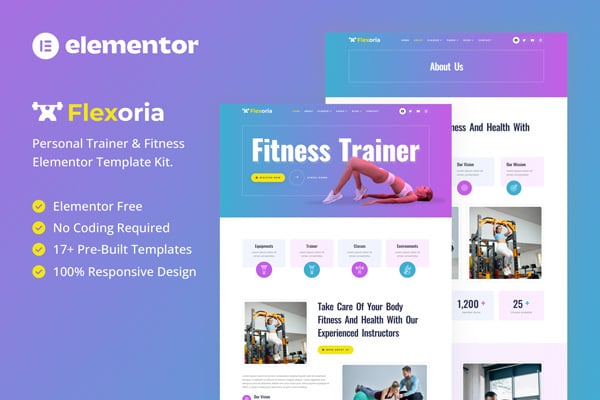
Flexoria – Personal Trainer & Fitness Elementor Template Kit is designed for professionals and personal trainers looking to elevate their online presence.
Elementor is the industry-leading page builder, allowing you to personalize every aspect of your website to align with your brand identity. The fully responsive layout ensures that your website looks stunning on any device, providing a seamless browsing experience for your visitors. With Flexoria, you can effectively showcase your expertise, attract new clients, and inspire your community to pursue their fitness goals.
Features:
- Perfect for Personal Trainer & Fitness
- Fully With Elementor Free Version (Elementor Pro is not required)
- Simple, Modern and Clean Design
- No Coding Knowledge Required
- 17+ Ready To Use Templates
- Responsive & Retina Ready
- Easy & Fully Customizable
Templates Include:
- Global Kit Styles
- Home
- About
- Classes
- Class Detail
- Trainer
- Pricing
- FAQ
- 404 Page
- Coming Soon
- Blog
- Single Blog
- Contact
- Header
- Footer
- Metform Appointment
- Metform Contact
Required Plugin:
- Elementor (Free)
- Jeg Elementor Kit
- MetForm
How to Install:
- Install and Activate the “Envato Elements” plugin from Plugins > Add New in WordPress
- Do not unzip
- Go to Elements > Installed Kits and click the Upload Template Kit button.
- Before importing a template, ensure the Install Requirements button is clicked to activate required plugins
- For best results, do not import more than one template at a time.
[Detailed Guide](https://help.market.envato.com/hc/en-us/articles/900000842846-How-to-use-the-Envato-Elements-WordPress-Plugin-v2-0)
For further support, go to Elementor > Get Help in WordPress menu.
How To Import Metform Costum Form
- Import metform template
- Import the template where the form appears, then edit in Elementor
- Click the Metform widget in the column where the form should be and click Edit Form
- Select New, leave blank selected then click Edit Form button
- Click ‘Add Template’ grey folder button
- Click ‘My Templates’ tab
- Choose your imported metform template, then click ‘Insert’
- Once the template is loaded, click ‘Update’
This Template Kit uses demo images from Envato Elements. You will need to license these images from Envato Elements to use them on your website, or you can substitute them with your own.
- https://elements.envato.com/collections/PFVDGUQEXY