Description
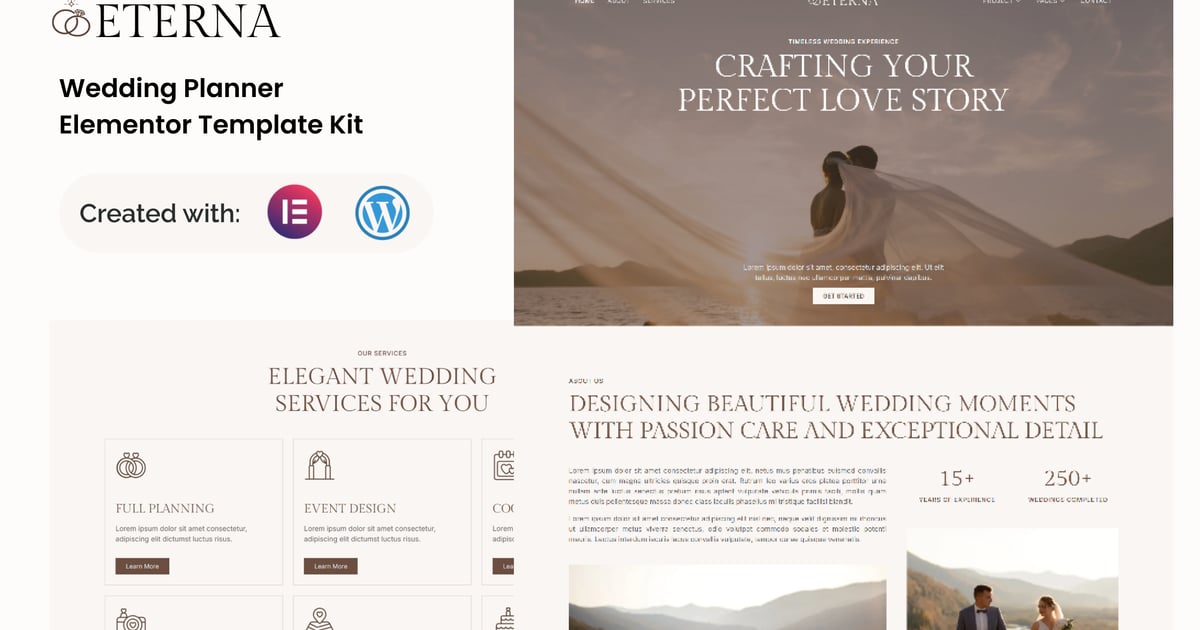
Eterna is a modern and elegant Elementor Template Kit designed for wedding planners, event organizers, and luxury celebration services. Built with refined layouts and a romantic visual style, Eterna helps you showcase services, present wedding projects, highlight your expertise, and build client trust—all without writing a single line of code.
Important Note:
This is a Template Kit, not a WordPress theme. It includes pre-designed layouts optimized for the free version of
Elementor and works perfectly with the Hello Elementor theme or any Elementor-compatible theme.
- Using Free Elementor (Elementor Pro is not required)
- Unique & Clean Design
- Modern Design
- Build With Container
- 16 Ready to Use Pages
- Unlimited colors
- More than 900 Ready Fonts
- Fully Responsive Layout
- Fully Customizable
Cross Browser Compatibility: Chrome, Firefox, Safari, Opera
Templates Included:
- Global Theme Style
- Home
- About
- Services
- Project
- Project Detail
- Team
- Pricing
- FAQ
- Blog
- Single Post
- Error 404
- Contact
- Header
- Footer
- Metform Contact
- Metform Newsletter
Required Plugin:
- Elementor
- ElementsKit Lite
- MetForm
- Gum Elementor Addon
- Ultimate Addons for Elementor – Lite
### How to Use Template Kits:
This is not a WordPress Theme. Template kits contain the design data for Elementor only and are installed using the envato Template Kit Import plugin for WordPress or directly through Elementor.
Detailed Guide:
https://help.market.envato.com/hc/en-us/articles/36033428836889-How-to-Upload-Install-Elementor-Template-Kits-from-Themeforest-to-WordPress
For further support, go to Elementor > Get Help in WordPress menu.
How to Import MetForm Custom Form:
- While edititing a page where a form should appear, open the Elementor navigator to locate the Metform widget.
- Click Edit Form in the builder panel.
- Select New, leave blank selected then click Edit Form button.
- Click ‘Add Template’ grey folder button.
- Click ‘My Templates’ tab.
- Choose your imported MetForm template, then click ‘Insert’.
- Once the template is loaded, click ‘Update’.
Setup Global Header and Footer in UAE
If you have Elementor Pro, headers and footers may be customized under Theme Builder.
- Go to UAE > Header Footer and click the Add New button.
- Give it a title, select Header, set Display on Entire Website, and click Publish.
- Click Edit with Elementor.
- Click the gray folder icon to access the My Templates tab, select the header template to import, and click Update.
- Repeat the steps for the Footer.
This Template Kit uses demo images from Envato Elements. You will need to license these images from Envato Elements to
use them on your website, or you can substitute them with your own.
https://app.envato.com/shared/workspaces/72167cb3-9b50-43a7-bb60-a7408539573d
Best Regard, Gonang