Description
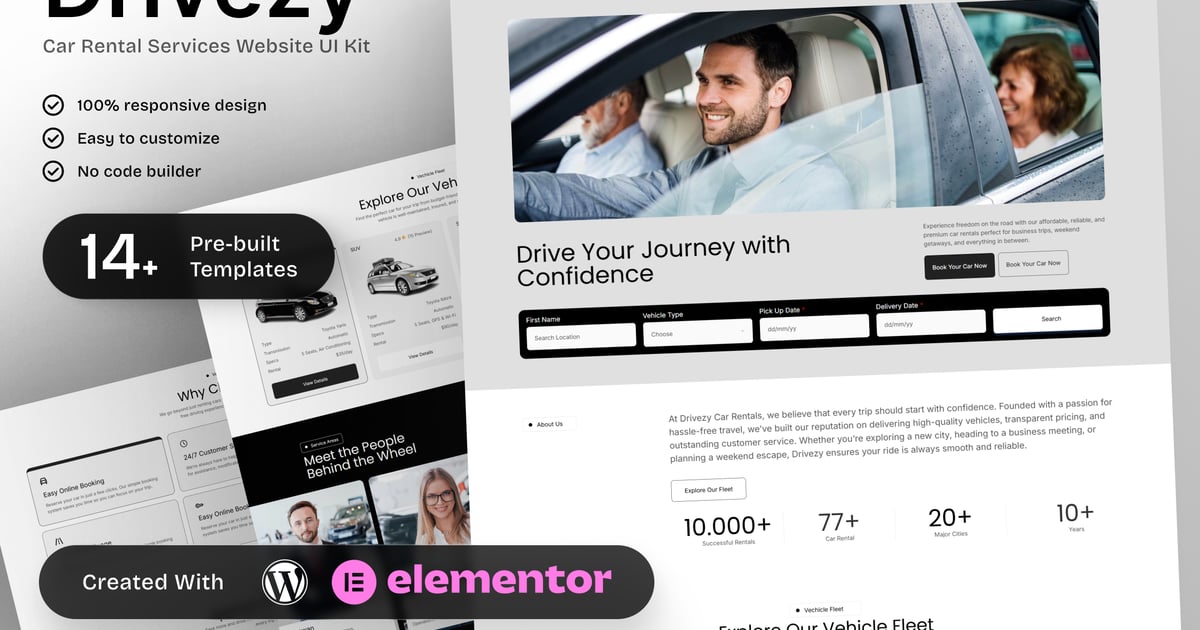
Drivezy – Car Rental Services Elementor Template Kit
Drivezy is a focused Car Rental Services Elementor Template Kit designed for car rental companies, vehicle hire agencies, and travel service providers. This template kit helps businesses clearly present their vehicle fleet, rental plans, pricing options, and booking process in a structured and user-friendly way.
Built specifically for car rental use cases, Drivezy includes dedicated pages for fleet listings, rental pricing, online booking, service locations, customer reviews, and travel-related content. The layout prioritizes clarity and usability, making it easy for customers to browse vehicles, compare plans, and complete bookings with confidence.
Drivezy is ideal for local and international car rental services, airport car hire companies, and travel-focused rental businesses that need a professional, responsive website. Fully customizable with Elementor, this kit provides a reliable and consistent solution for car rental websites focused on conversions and customer trust.
Templates in Zip:
- Home
- About Us
- Vehicle Fleet
- Rental Plans & Pricing
- Booking Page
- Locations
- Customer Reviews
- FAQs
- Blog
- Contact Us
- Global Style
- Header
- Footer
- 404 Error Page
Required Plugins:
- Elementor
- ElementsKit Lite
- RTMKit Addons for Elementor
- Prime Slider
### How to Use Template Kits:
This is not a WordPress Theme. Template kits contain the design data for Elementor only and are installed using the envato Template Kit Import plugin for WordPress or directly through Elementor.
Detailed Guide:
https://help.market.envato.com/hc/en-us/articles/36033428836889-How-to-Upload-Install-Elementor-Template-Kits-from-Themeforest-to-WordPress
For further support, go to Elementor > Get Help in WordPress menu.
Setup Header in ElementsKit Lite
If you have Elementor Pro, setup headers and footers in Theme Builder. Pages you create with Elementor must have the Page Layout set to Elementor Full width for the global header and footer to appear.
- Go to ElementsKit > Header Footer
- If prompted to go through the wizard, click Next all the way through and then return to step 1 (you are not required to enter your email address or share your information)
- Click Add New Template button at the top
- Name your template, then toggle “Activate/Deactivate:” to On
- Click the gray Edit Content button. Elementor will open.
- Click the gray folder icon to access My Templates tab and Insert the header or footer template.
- Customize and Publish
Images:
This Template Kit uses demo images from Envato Elements. You will need to license these images from Envato Elements to use them on your website, or you can substitute them with your own.
https://elements.envato.com/collections/TYPS7WXC5Q
Create by: Create Big Supply