Description
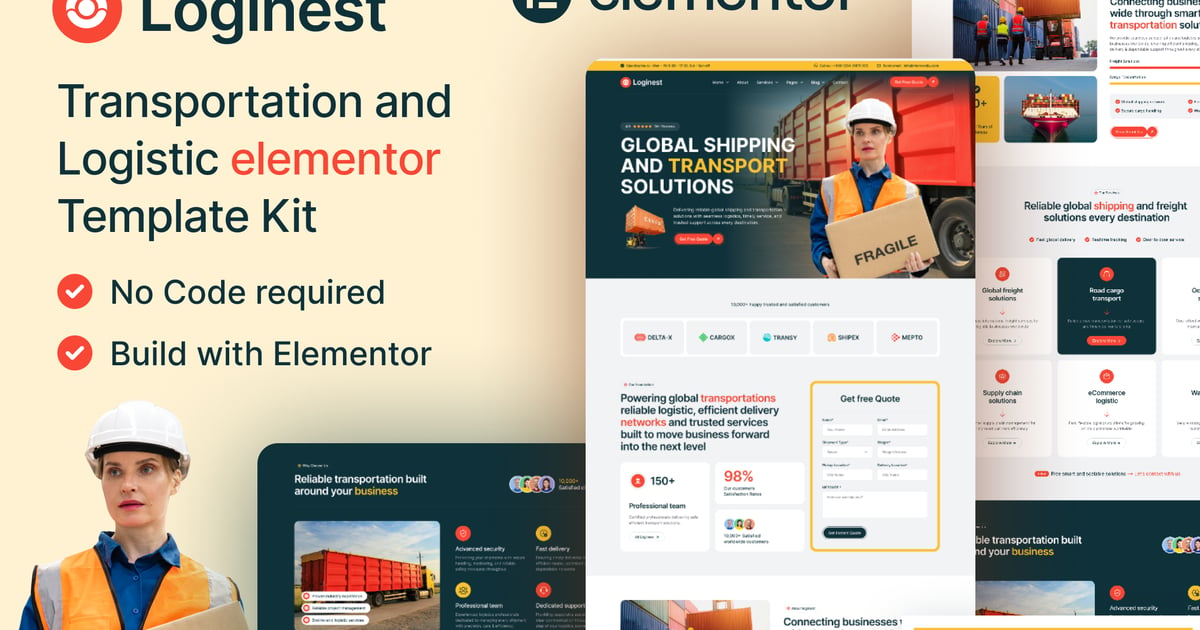
Loginest – Transportation and Logistic Elementor Template Kit
Loginest is a modern and professional Transportation and Logistic Elementor Template Kit designed for Logistics Companies, Freight Forwarders, Cargo Services, Trucking Businesses, and Supply Chain Providers. With its clean layout and fully responsive design, Loginest helps you create a powerful and visually appealing website without writing a single line of code.
Built specifically for Elementor and the Hello Elementor theme, this template kit is easy to use, lightweight, and optimized for fast performance. Each page is thoughtfully crafted to highlight your company’s expertise in freight shipping, warehousing, cargo transport, supply chain management, and specialized logistics services.
Whether you’re launching a new website or refreshing your existing one, Loginest provides all the essential pages and elements you need to build a professional online presence effortlessly.
Template Features:
- Modern & Professional Design
- 100% Responsive & Mobile-Friendly
- 22+ Ready-to-Use Templates
- Fully Customizable with Drag & Drop
- Compatible with the Free Elementor Plugin (No Elementor Pro
required) - Built for the Hello Elementor Theme
- Retina Ready & High-Quality Layout
- Cross-Browser Compatibility: Chrome, Firefox, Safari, Edge, Opera
- Global Style Settings for Colors and Typography
- Fast Loading & SEO-Friendly Structure
- Clean, Well-Organized Layout for Easy Editing
- No Coding Knowledge Required
Templates Include:
- Global Theme Style
- Header v1
- Footer v1
- Home One
- About Us
- Our Team
- Team Details
- Projects
- Project Details
- Services
- Service Details
- Faq
- Gallery
- Pricing
- Blog Grid
- Blog List
- Blog Details
- Contact
- 404 Page
- Metform Contact
- Metform Contact Two
- Metform Newsletter
Plugins installed with kit:
- Elementor Free
- Vantorix – Toolkit for Elementor
- MetForm
- Ultimate Addons for Elementor (UAE)
- Skyboot Custom Icons for Elementor
How to Use Template Kits:
This is not a WordPress Theme. Template kits contain the design data for
Elementor only and are installed using the Envato Elements plugin for
WordPress or directly through Elementor.
Elementor Template Kits use the Envato Elements plugin to install.
How to Import Metforms:
- Import the metform block templates.
- Import the page template where the form appears and enable the
Navigator. - Select the Metform widget, click Edit Form, choose New, then Edit
Form. - Click the Add Template folder icon.
- Open the My Templates tab.
- Insert the imported Metform template (select No for page settings).
- Customize as needed, then click Update & Close.
- Click Update.
Setup Global Header and Footer in Ultimate Addons for Elementor (UAE):
- Go to UAE → Header & Footer Template.
- Click Add New Header.
- Set the display condition to All Site.
- Open the My Templates tab.
- Insert the Header template.
- Repeat the same steps for the Footer template.
Images:
This Template Kit uses demo images from Envato Elements. You will need
to license these images from Envato Elements before using them on a live
website, or replace them with your own images.