Description
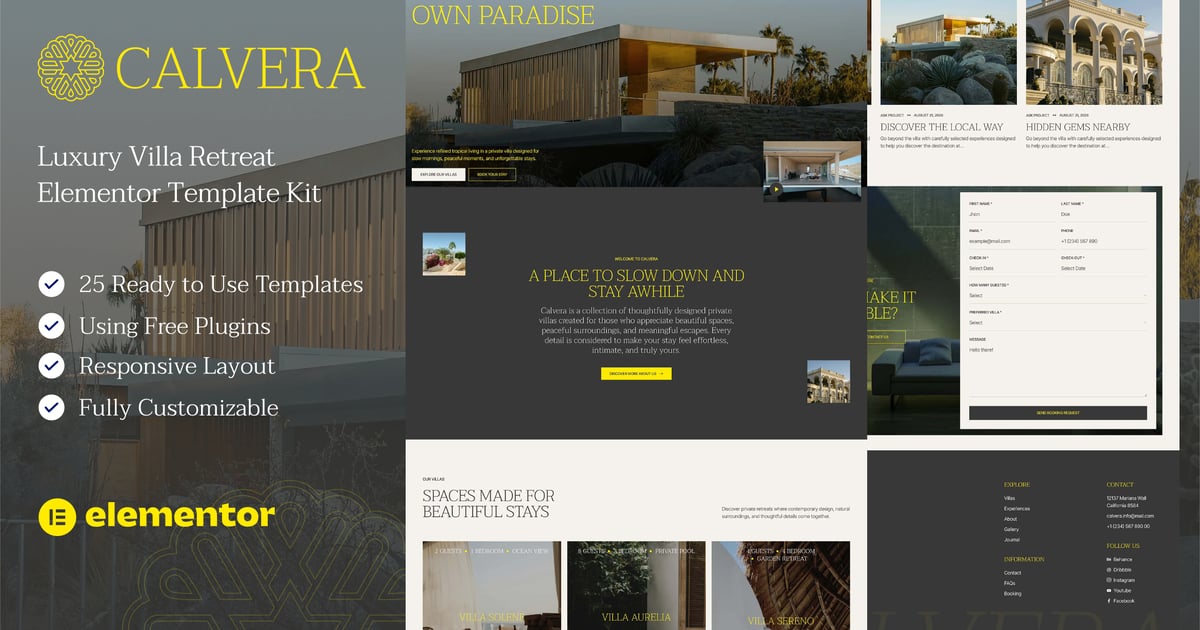
Calvera — Luxury Villa Retreat Elementor Template Kit (NOT A Wordpress Theme) is designed for luxury villa rentals, private retreats, vacation homes, boutique accommodations, and premium hospitality businesses. With its elegant layouts, immersive imagery, and refined visual style, Calvera helps you create a beautiful online presence for showcasing exclusive villas and unforgettable guest experiences.
The kit combines spacious layouts, modern typography, large imagery, and carefully crafted sections to create a calm and luxurious atmosphere. Whether you’re promoting a single private villa or an entire collection of properties, Calvera provides the essential pages and templates you need to present your accommodation, experiences, amenities, and services with confidence.
Calvera template kit includes stunning carefully crafted 19 Pages and 25 Stunning Templates, you can build your professional-looking website just a click away.
Features
- Using Free Elementor (Elementor Pro is not required)
- Unique & Clean Design
- 19 Ready to Use Pages
- 25 Ready to Use Templates
- Fully Responsive Layout
- Fully Customizable
- Cross Browser Compatibility: Chrome, Firefox, Safari, Opera
Templates Include
- Global Theme Style
- Home
- About
- Villas
- Villa Details
- Booking
- Gallery
- Experiences
- FAQs
- Career
- Career Details
- Testimonials
- Contact
- Team
- Team Details
- Pricing
- Blog
- Single Post
- Coming Soon
- 404 Page
- Header
- Footer
- Form Newsletter
- Form Contact
- Form Reservation
- Form Career
Required Plugin
- Elementor
- ElementsKit Lite
- MetForm
- Gum Elementor Addon
How To Install:
- Install and Activate the “Template Kit Import” plugin from Plugins > Add New in WordPress
- Download your kit file and Do not unzip
- Go to Tools > Template Kit and click the Upload Template Kit button. You may also import automatically by clicking Connect Account to link your Elements subscription, then import under Elements > Template Kits.
- Check for the orange banner at the top and click Install Requirements to load any plugins the kit uses
- Click import on the Global Kit Styles first
- Click Import on one template at a time. These are stored in Elementor under Templates > Saved Templates.
- Go to Pages and create a new page and click Edit with Elementor
- Click the gear icon at lower-left of the builder to view page settings and choose Elementor Full Width and hide page title.
- Click the gray folder icon to access My Templates tab and then Import the page you’d like to customize.
Setup Global Header and Footer
- Import the header and footer template
- Go to ElementsKit > Header Footer select Header and click Add New
- Give it a title, leave Entire Site selected and toggle Activation to On
- Click the template title and Edit Content
- Click the gray folder icon and select the header template to import and Update
- Repeat for Footer
Notes
This Template Kit uses demo images from Envato Elements. You will need to license these images from Envato Elements to use them on your website, or you can substitute them with your own.
- https://app.envato.com/shared/workspaces/27583f1e-b05c-4667-8d58-a6f3756b3026