Description
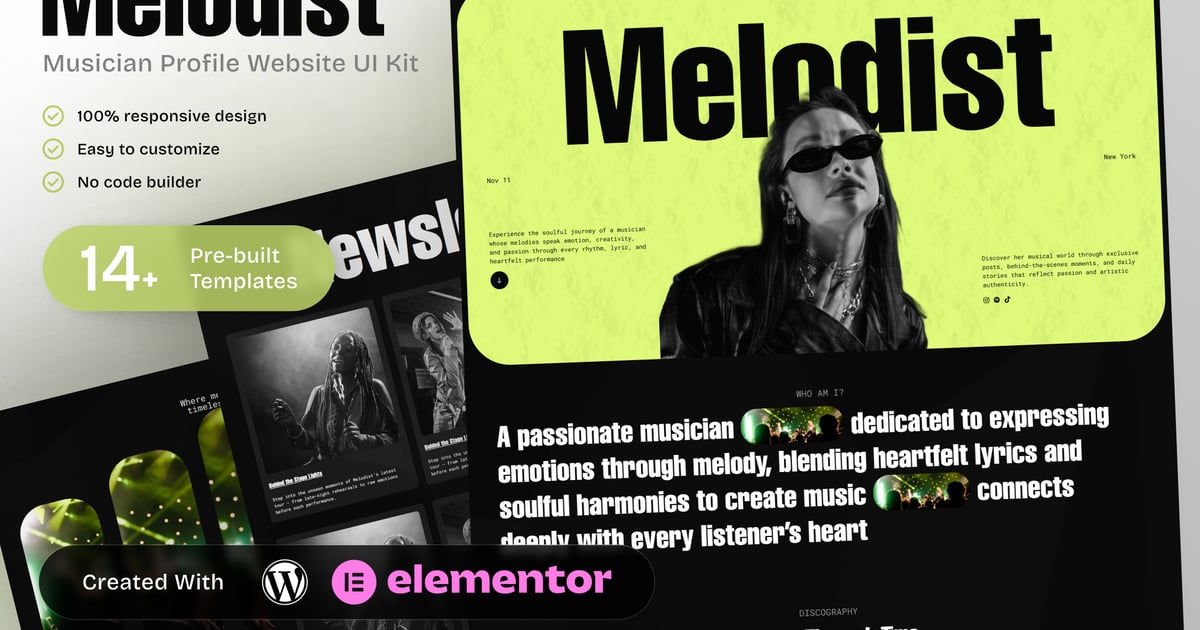
Melodist – Musician Profile Elementor Template Kit
Melodist is a dedicated Musician Profile Elementor Template Kit designed for musicians, solo artists, bands, and performers who want a professional online presence. This template kit helps artists present their music, biography, discography, and creative journey in a clear and engaging way.
Built specifically for the music industry, Melodist includes essential pages such as artist bio, discography, music videos, upcoming events, merchandise, and fan engagement sections. The structure is focused on showcasing musical identity, promoting releases, and supporting booking inquiries without unnecessary complexity.
Melodist is ideal for independent musicians, recording artists, composers, and performers who want to connect with fans, share updates, and manage bookings through a well-organized and responsive website. Fully customizable with Elementor and optimized for usability, this kit delivers a focused solution for music professionals who value clarity, performance, and consistency.
Templates in Zip:
- Home
- About
- Discography
- Merchandise
- Newsletter
- Music Videos
- Gallery
- Upcoming Events
- Blog
- Contact
- Global Style
- Header
- Footer
- 404 Error Page
Required Plugins:
- Elementor
- ElementsKit Lite
- RTMKit Addons for Elementor
- Prime Slider
### How to Use Template Kits:
This is not a WordPress Theme. Template kits contain the design data for Elementor only and are installed using the envato Template Kit Import plugin for WordPress or directly through Elementor.
Detailed Guide:
https://help.market.envato.com/hc/en-us/articles/36033428836889-How-to-Upload-Install-Elementor-Template-Kits-from-Themeforest-to-WordPress
For further support, go to Elementor > Get Help in WordPress menu.
Setup Header in ElementsKit Lite
If you have Elementor Pro, setup headers and footers in Theme Builder. Pages you create with Elementor must have the Page Layout set to Elementor Full width for the global header and footer to appear.
- Go to ElementsKit > Header Footer
- If prompted to go through the wizard, click Next all the way through and then return to step 1 (you are not required to enter your email address or share your information)
- Click Add New Template button at the top
- Name your template, then toggle “Activate/Deactivate:” to On
- Click the gray Edit Content button. Elementor will open.
- Click the gray folder icon to access My Templates tab and Insert the header or footer template.
- Customize and Publish
Images:
This Template Kit uses demo images from Envato Elements. You will need to license these images from Envato Elements to use them on your website, or you can substitute them with your own.
https://elements.envato.com/collections/F5YAD9JR4T
Create by: Create Big Supply