Description
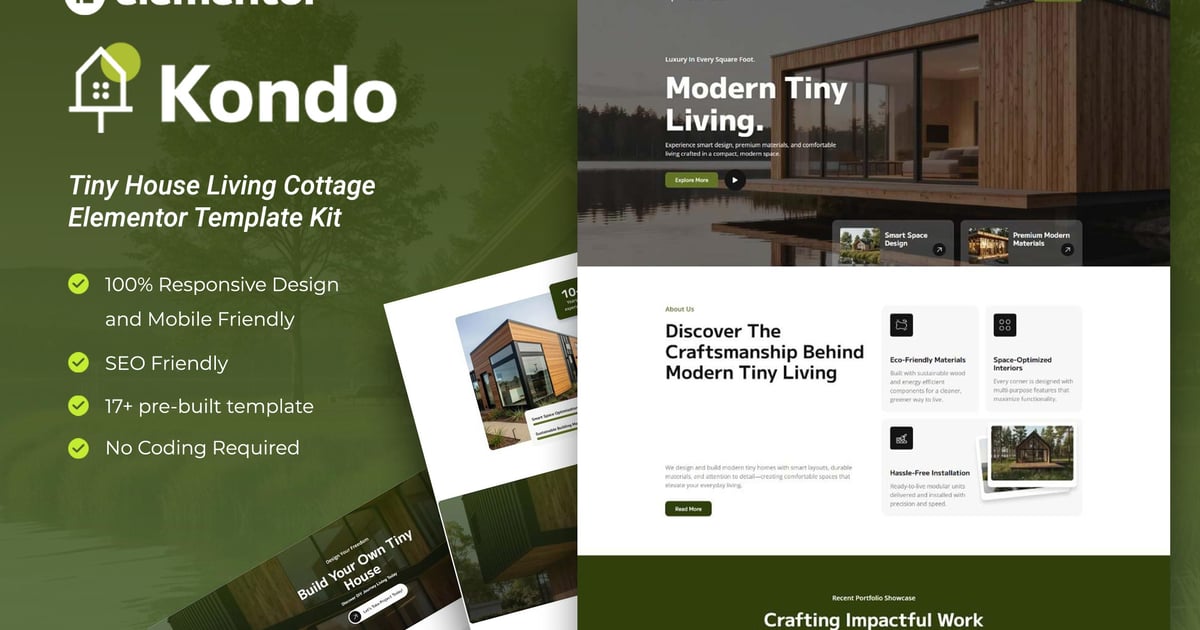
Kondo is a premium Elementor Template Kit crafted specifically for Tiny House Living Cottage website and its related services! Featuring a bold and modern design, this kit offers a fully responsive layout, hassle-free installation, and effortless customization all without writing a single line of code. Built with Elementor, it’s the perfect solution to launch your site quickly and efficiently. Save time and make a strong impression online!
Packed with ready-to-use page layouts, this Template Kit is built for effortless page creation in Elementor and it’s fully optimized for the blazing-fast ‘Hello Elementor’ theme, giving you a smooth and streamlined building experience.
Need help after your purchase? Our Support Center is just a click away. Count on our expert team to provide fast, reliable assistance whenever you need it.
Layout Features
- Modern and Professional design
- Cross Browser Compatibility
- Using Free Plugins (Elementor Pro is not required)
- 100% Responsive & mobile-friendly
- 17+ Page templates ready to use
- Customize fonts and colors in one place (Global Kit Style)
What’s Included in the Zip :
- Homepage
- Portfolio 1
- Portfolio 2
- Portfolio Detail
- About Us
- Our Services
- Team
- FAQs
- Pricing
- Error 404
- Blogs
- Single Post
- Contact Us
- Header
- Footer
- Contact Form – Block
- Subscribe Form-Block
Plugins installed with kit :
- Elementor
- RomethemeKit For Elementor
- RomethemeForm
How to Use Template Kits:
This is not a WordPress Theme. Template kits contain the design data for Elementor only and are installed using the envato Template Kit Import plugin for WordPress or directly through Elementor.
Detailed Guide:
https://help.market.envato.com/hc/en-us/articles/36033428836889-How-to-Upload-Install-Elementor-Template-Kits-from-Themeforest-to-WordPress
For further support, go to Elementor > Get Help in WordPress menu.
Setup Global Header and Footer in RTMKit
- Import the Header & Footer blocks.
- Go to RTMKit > Theme Builder > Header in the WordPress admin, then click Add New.
- Enter a title, select “Header” as the type, then go to the Conditions tab, set it to “Entire Site”, and click Save.
- Click Edit with Elementor to open the builder.
- In the editor, click the gray folder icon, go to the My Templates tab, select your Header Template, and click Insert.
- Make any adjustments, then click Update to save.
- Repeat the same steps for the Footer under RTMKit > Theme Builder > Footer.
How to Setup Forms with RTMForm
- Import the form blocks.
- Go to RTMKit Plugin > Theme Builder > Forms in the WordPress admin.
- Click “Add New”, enter a form name, then click “Save and Edit”.
- In the builder, click the gray folder icon, go to the My Templates tab, and click Insert on your form block.
- Click Publish (or Update).
- When customizing pages with forms, use the RForm widget and select the form you created.
Notes
This Template Kit uses demo images from Envato Elements. You will need to license these images from Envato Elements to use them on your website, or you can substitute them with your own.
- https://elements.envato.com/collections/XEV93NJLZY